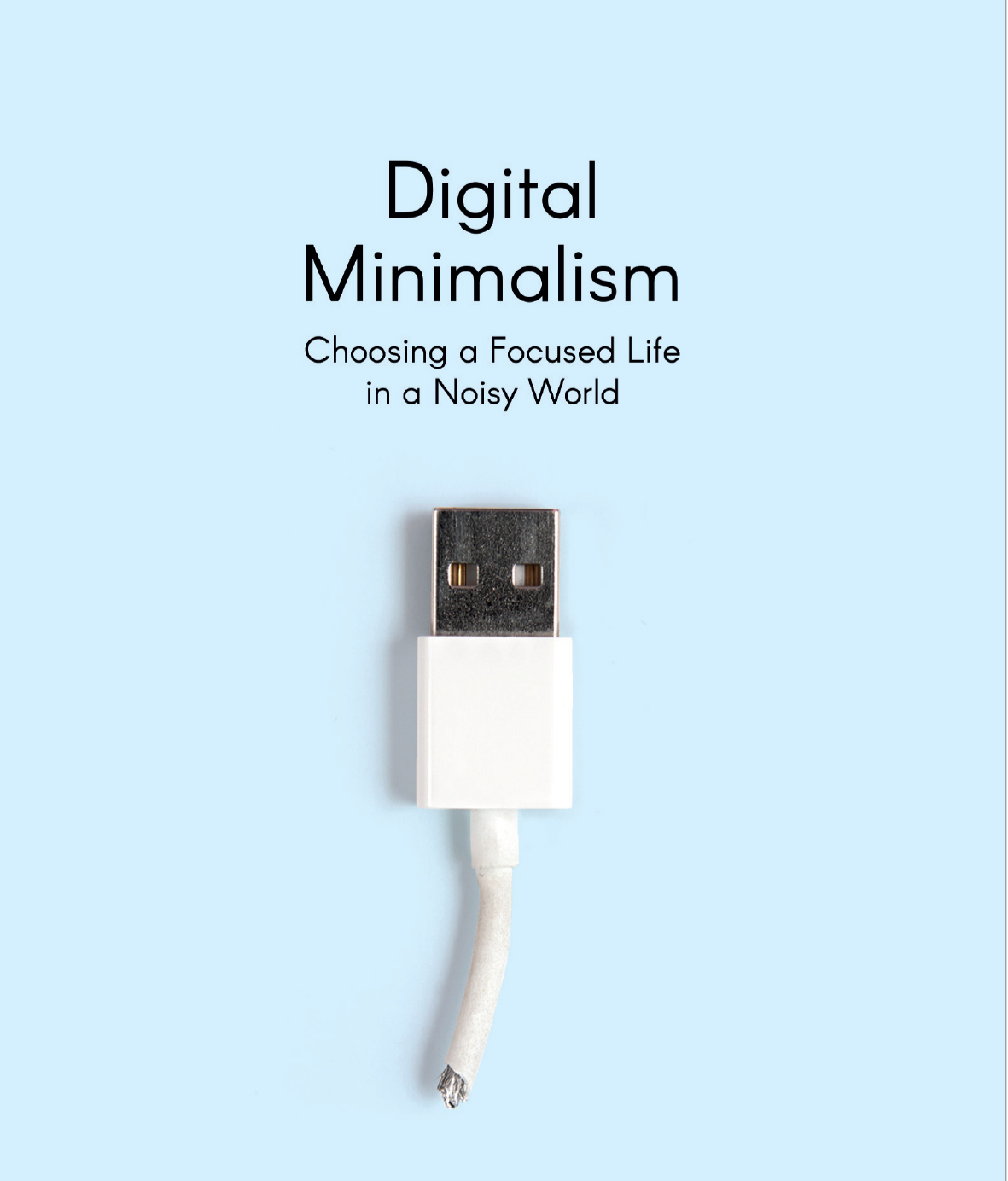
Digital Minimalism for Students

HARI OM
In today’s hyper-connected educational environment, high school and college students face an unprecedented challenge: maintaining deep focus in a world designed to constantly steal their attention.
The primary barrier to academic success is no longer a lack of study resources or information; it is the overwhelming influx of digital noise, constant phone pings, endless social media feeds, and algorithmic distractions.
This is where the concept of digital minimalism for students becomes a game-changer. Digital minimalism is not about throwing away your laptop, abandoning helpful educational platforms, or living like a tech-free monk.
Instead, it is a intentional philosophy of technology use.
It empowers students to choose digital tools that actively support their academic goals while systematically eliminating the digital clutter that causes stress, anxiety, and fragmented attention spans.
In this comprehensive 3000-word guide, you will learn practical, actionable, and science-backed strategies to implement digital minimalism for students, overhaul your daily study routine, master notification control, limit screen time, protect your digital privacy, and cultivate healthy screen habits for lifelong productivity.
Digital Minimalism for Students
What is Digital Minimalism for Students?
To understand digital minimalism for students, we must first define what digital minimalism means in an academic setting.
Coined by computer science professor and author Cal Newport, digital minimalism is a philosophy where you focus your online time on a small number of carefully selected activities that directly align with your core values, while happily missing out on everything else.
For a student, digital minimalism means moving from passive tech consumption (mindless scrolling, reactive message checking, continuous media streaming) to intentional tech utilization (using specific software for study research, organized digital note-taking, and scheduled communication).
The Cognitive Cost of Digital Clutter.
Digital Minimalism for Students
When you try to study while your smartphone sits next to your notebook, your brain operates under a state known as continuous partial attention.
Even if you do not actively pick up the phone, your brain expends valuable mental bandwidth simply resisting the temptation to check it.
- Context Switching and Attention Residue: Every time you switch your attention from an organic chemistry textbook to an Instagram notification, a piece of your attention remains stuck on that social media interaction. This is called “attention residue,” and it drastically reduces your comprehension and problem-solving speed.
- Dopamine Loop Dependence: Modern applications are engineered using variable reward schedules—the same psychological mechanism that makes slot machines addictive. Each refresh or notification delivers a quick hit of dopamine, training your brain to seek immediate gratification rather than enduring the slow, focused effort required for deep learning.
- Elevated Stress and Fatigue: Managing multiple chat streams, constant news updates, and endless media consumption leads to mental overload. Students who practice digital minimalism for students report significantly lower levels of academic stress and improved mental clarity.
The Core Pillars of Digital Minimalism for Students
Digital Minimalism for Students
Before implementing specific tactical changes on your devices, it is crucial to adopt the mindsets that anchor a minimal digital lifestyle.
       [ Mindful Intentionality ]
                 │
  ┌──────────────┴──────────────┐
  ▼                             ▼
[ Friction Creation ]     [ Value Alignment ]
- Value Alignment: Every digital tool on your smartphone, tablet, or laptop must serve a clear, positive purpose in your education or personal wellbeing. If an app does not provide tangible value, it is digital clutter.
- Friction Creation: Distraction thrives on convenience. Digital minimalism uses positive friction—such as logging out of social apps, turning off face unlock, or hiding distracting websites—to slow down impulse habits.
- Mindful Intentionality: Instead of opening your laptop out of habit, you define what you intend to accomplish before unlocking your screen.
1. Master Notification Control-Silencing the Digital Noise
Digital Minimalism for Students
Notifications are the single largest source of cognitive disruption during academic work.
Every chime, vibration, or pop-up notification interrupts your brain’s deep-work state, requiring up to 20 minutes to regain full focus on a complex task.
Step-by-Step Notification Optimization
Digital Minimalism for Students
Implementing digital minimalism for students starts with taking absolute control over when and how your devices communicate with you.
A. The Zero-Non-Essential Notification Audit
Digital Minimalism for Students
Go to your smartphone and laptop notification settings right now. Divide your applications into three strict categories:
- Essential (Allowed to Alert): Direct phone calls from close family, emergency contacts, and critical study group apps (e.g., direct messages from project partners during active assignments).
- Deliver Quietly / Scheduled Summary: News updates, delivery apps, non-urgent messaging apps. These should never produce sounds, vibrations, or lock-screen banners.
- Completely Disabled (Off): All social media apps (Instagram, TikTok, X, Snapchat), shopping platforms, mobile games, streaming services, and promotional emails.
B. Leveraging Focus Modes and Do Not Disturb (DND)
Digital Minimalism for Students
Modern operating systems (iOS, Android, macOS, Windows) feature customizable Focus Modes.
- Study Focus Mode: Create a dedicated Study Focus mode that automatically turns on when you launch your note-taking app or arrive at the university library. In this mode, block all social media alerts, hide notification badges, and allow calls only from designated VIP contacts.
- Sleep Focus Mode: Schedule a system-wide lock on notifications starting two hours before bedtime to allow your brain to wind down without late-night alerts.
C. Turn Off App Badges
Those little red numbers floating over app icons are engineered to trigger curiosity and urgency. Disabling app icon badges removes the visual urge to open apps just to “clear” the alerts.
2. Design a Study-Only Home Screen
Digital Minimalism for Students
Your smartphone home screen is the digital doorway to your mind
. When high-dopamine entertainment applications are immediately visible upon unlocking your screen, your brain naturally gravitates toward friction-free distraction rather than academic effort.
How to Build a Minimalist Home Screen Layout
Digital Minimalism for Students
Applying digital minimalism for students requires redesigning your digital physical space to promote productivity by default.
+-------------------------------------------------+
|               [ Minimalist Screen ]            |
|                                                 |
|  +-------------------------------------------+  |
|  |           Daily Planner Widget            |  |
|  +-------------------------------------------+  |
|                                                 |
|   [ Calendar ]   [ Notes ]   [ Dictionary ]     |
|   [ Calculator]  [ Drive ]   [ Flashcards ]     |
|                                                 |
|  +-------------------------------------------+  |
|  | DOCK:  [ Phone ]  [ Search ]  [ To-Do ]   |  |
|  +-------------------------------------------+  |
+-------------------------------------------------+
Step 1: Clear the Primary Screen
Remove every single social media app, game, and entertainment service from your primary home screen. Store them in secondary app library pages or inside folders that require intentional searching to access.
Step 2: Keep Only Functional Academic Utilities
Your main screen should only host tools that support productive actions. Recommended home screen apps include:
- Academic Calendar / Schedule Manager
- Digital Note-Taking software (Notion, Obsidian, Anki)
- Calculator / Formula Reference guides
- Document Readers / PDF Annotation tools
- Task Manager / To-Do list
Step 3: Switch Your Display to Grayscale Mode
Smartphones use bright, rich colors to make screen elements visually enticing.
By converting your screen display to grayscale (black and white) during study hours, you reduce the visual excitement of video feeds and social timelines.
- On iOS: Settings > Accessibility > Display & Text Size > Color Filters > Grayscale.
- On Android: Settings > Accessibility or Digital Wellbeing > Bedtime Mode / Grayscale.
3. Enforce Strict Social Media Time Limits and Barriers
Digital Minimalism for Students
Social media platforms are designed by thousands of engineers whose primary goal is to maximize your time spent on the screen.
Relying purely on willpower to limit social media usage is rarely successful. Digital minimalism for students emphasizes using technology constraints to enforce personal discipline.
Tactical Framework for Managing Social Media
Digital Minimalism for Students
A. Set Hard Application Timers
Use system tools like Apple Screen Time or Android Digital Wellbeing to set non-negotiable daily limits on distracting platforms (e.g., 20 minutes maximum per day for Instagram or TikTok). Once the limit is reached, set a strict passcode managed by a classmate, sibling, or parent if you struggle with self-discipline.
B. Introduce Friction to High-Distraction Apps
- Log Out After Every Session: Never leave social media accounts logged in on your phone or web browser. The extra step of entering a password and completing two-factor authentication creates a friction gap that deters mindless browsing.
- Delete Mobile Apps and Use Web Versions: Delete social media applications from your smartphone entirely. Accessing these platforms via a mobile web browser is inherently slower, less slick, and far less addictive.
C. Use Website Blockers for Laptops
Studying on a laptop often leads to tab-switching habits where open tabs contain social media, video streaming, or shopping sites.
- Extension Blockers: Install browser extensions like Freedom, Cold Turkey, or StayFocusd to lock down distracting websites during your scheduled study hours.
- Hard Block Lists: Configure domain blockers that prevent you from unblocking sites until a predetermined timer expires.
4. Work in Dedicated Focus Sessions
Digital Minimalism for Students
Deep learning—understanding complex mathematical concepts, writing high-scoring essays, or absorbing dense scientific literature—requires uninterrupted cognitive engagement. Implementing structured focus sessions is an essential component of digital minimalism for students.
  ┌──────────────────────────────────────────────────────────┐
  │                   25-MIN DEEP FOCUS                      │
  │     (Phone in another room, All tabs closed)             │
  └────────────────────────────┬─────────────────────────────┘
                               │
                               ▼
  ┌──────────────────────────────────────────────────────────┐
  │                   5-MIN SCREEN-FREE BREAK                │
  │     (Hydrate, stretch, look out the window)              │
  └──────────────────────────────────────────────────────────┘
The Pomodoro Technique for Minimalist Learning
The Pomodoro Technique breaks complex study blocks into manageable, highly focused intervals separated by short rest periods.
- Set a Single Goal: Choose one specific academic task (e.g., “Read Chapter 4 of Physics and complete 5 practice questions”).
- Eliminate All Open Tabs: Close every web tab and application not directly required for that specific task.
- Run a 25-Minute Timer: Use a simple physical desk timer or a dedicated single-purpose web timer. Work with 100% intensity until the chime rings.
- Take a 5-Minute Screen-Free Break: Step away from all monitors and screens. Walk around, stretch, drink water, or look out the window.
- Repeat and Rest: After four consecutive 25-minute study cycles, take a longer 20-to-30-minute break away from your desk.
Deep Work vs. Shallow Work for Students
| Feature | Deep Work (Minimalist Study) | Shallow Work (Distracted Study) |
| Focus Level: | 100% single-task concentration | Fragmented multi-tasking |
| Device State: | Phone in another room; DND active | Phone on desk; regular pings |
| Learning Outcome | Deep memory consolidation & mastery | Surface-level retention; quick forgetfulness |
| Time Efficiency: | High (completes work in half the time) | Low (takes twice as long with poorer results) |
| Mental Energy | Sustained clarity and satisfaction | Exhaustion, overwhelm, and cognitive fatigue |
5. Establish a Phone-Free Study Routine
Research from cognitive psychologists shows that the mere presence of a smartphone on your desk—even if it is turned face down, muted, or completely powered off—reduces functional cognitive capacity. Your subconscious brain actively spends energy reminding itself not to touch the device.
How to Build an Invisible Phone System
To achieve true academic focus through digital minimalism for students, you must make your smartphone physically invisible during study periods.
A. The Two-Room Rule
When sitting down for an intensive study session, place your smartphone in a different room entirely.
If you live in a small space or dormitory, place your phone inside a closed backpack, a high closet shelf, or a drawer outside your field of view.
B. Replace Phone Utilities with Physical Alternatives
One of the main excuses students use to keep smartphones on their study desk is that they rely on them for essential utility functions.
Replace digital utilities with physical single-purpose items:
- Use a Physical Alarm / Desk Clock: Stop using your smartphone as a desk clock or study timer.
- Use Paper Notebooks for Sudden Thoughts: When an unrelated thought, errand, or task pops into your head during study time, write it down on a physical notepad rather than opening your phone’s note app.
- Print Out Reading Materials: Whenever possible, print long academic PDF documents or chapter summaries so you can highlight and annotate without sitting in front of a screen.
C. Create a Sunset Transition Ritual
Establish a clear physical ritual at the end of every study session:
- Save your digital documents and back up your study notes.
- Close all application windows on your laptop.
- Clear your physical desk workspace.
- Only after your study materials are closed and organized do you retrieve your smartphone from its out-of-sight location.
6. Prioritize Digital Privacy and Healthy Screen Habits
A comprehensive strategy for digital minimalism for students goes beyond managing study focus;
it encompasses protecting your personal digital privacy and safeguarding your physical and mental health from screen overuse.
A. Digital Privacy and Data Hygiene for Students
Maintaining a clean, minimal digital life requires protecting your personal data from invasive trackers, algorithm-driven ads, and privacy breaches that cause unwanted digital noise.
- Audit App Permissions: Regularly inspect your phone’s privacy settings. Revoke location, microphone, camera, and contact access for apps that do not explicitly require them to function.
- Clear Browser Cookies and Cache: Regularly clear tracking cookies to prevent retargeting algorithms from serving distracting personalized ads across your research platforms.
- Use Privacy-Focused Tools: Switch to search engines and web browsers that respect user privacy and block ad trackers automatically (e.g., DuckDuckGo, Brave, or Firefox with privacy extensions).
- Consolidate Cloud Storage: Avoid saving study materials across half a dozen scattered cloud services. Maintain a unified file structure in one primary service (such as Google Drive or OneDrive) using clear folder naming conventions:
[University/School]
   │
   ├── [2026_Semester_1]
   │      ├── [Biology]
   │      │     ├── Lectures
   │      │     └── Assignments
   │      └── [Mathematics]
   └── [Personal_Admin]
B. Healthy Physical Screen Habits
Long hours spent in front of digital monitors cause physical strain, posture collapse, eye fatigue, and disrupted sleep patterns.
Implementing physical boundaries ensures that your tech usage remains sustainable.
1. The 20-20-20 Rule for Digital Eye Strain
Every 20 minutes spent looking at a screen, pause and look at an object at least 20 feet away for 20 seconds. This simple habit relaxes the ciliary muscles in your eyes and prevents fatigue, dry eyes, and tension headaches.
2. Screen Blue-Light Management
Screens emit short-wavelength blue light that mimics daylight, suppressing melatonin production in your brain and destroying sleep quality.
- Activate system night-shift modes (Night Light / Night Shift) to shift color temperature to warm tones after sunset.
- Avoid screen interaction at least 60 minutes before going to sleep.
3. Posture Ergonomics
Position your computer monitor at eye level, roughly an arm’s length away. Avoid studying on your bed or crouching over a smartphone on your lap, which places tremendous stress on your neck and spine.
7. Step-by-Step 7-Day Digital Declutter Challenge for Students
Ready to transform your academic workflow? Use this structured 7-day action plan to execute digital minimalism for students systematically without feeling overwhelmed.
+─────────────────────────────────────────────────────────────+
|               7-DAY DIGITAL DECLUTTER PLAN                  |
+─────────────────────────────────────────────────────────────+
| Day 1: Audit & Delete Unnecessary Apps                      |
| Day 2: Turn Off All Non-Essential Notifications            |
| Day 3: Reorganize Home Screen to Productivity-Only         |
| Day 4: Execute the Two-Room Phone Rule during Study         |
| Day 5: Clean Up Cloud Files & Desktop Folders              |
| Day 6: Implement 25-Minute Focus Sessions (Pomodoro)       |
| Day 7: Establish a 60-Minute Screen-Free Night Ritual      |
+─────────────────────────────────────────────────────────────+
Day 1: The App Audit
Scroll through every application installed on your phone, tablet, and laptop. Ask yourself: “Has this app provided real value to my studies or well-being in the last 30 days?” If the answer is no, delete it immediately.
Day 2: Notification Lockdown
Go through your device notification list. Disable alerts, sounds, and banners for all social media, news, shopping, and entertainment applications. Set up your dedicated Study Focus Mode.
Day 3: Home Screen Overhaul
Move all remaining social apps off your primary home screen. Place essential study tools on your front screen and enable grayscale mode to neutralize visual dopamine triggers.
Day 4: Physical Separation Practice
Conduct all study sessions today using the Two-Room Rule. Keep your phone in a separate room while studying for at least two two-hour blocks.
Day 5: Digital File Organization
Clean your computer desktop. Delete duplicate PDFs, organize lecture files into neat folders, empty your trash bin, and clear out unnecessary browser downloads.
Day 6: Master Deep Focus Sessions
Use the Pomodoro Technique (25 minutes of single-task work followed by 5 minutes of rest) for every study session throughout the day. Keep track of how much faster you complete your work.
Day 7: Nighttime Disconnection
Stop using all digital screens—phones, laptops, tablets, and televisions—60 minutes before bedtime. Read a physical book, write in a journal, or review paper study notes instead.
Common Misconceptions About Digital Minimalism
Digital Minimalism for Students
As you embark on your digital declutter journey, it is helpful to dispel common myths associated with digital minimalism for students:
- Myth 1: Digital minimalism requires stopping tech use altogether.
- Fact: Digital minimalism is about using technology purposefully. You continue to use laptops, online libraries, search tools, and educational software—you simply cut out low-value digital noise.
- Myth 2: It will isolate you socially from classmates.
- Fact: Minimalists actually enjoy richer social connections because they replace surface-level social media interactions with high-quality, voice-to-voice or face-to-face communications.
- Myth 3: You need high willpower to succeed.
- Fact: Digital minimalism relies on physical constraints, friction, and environmental setup—not endless willpower.
Actionable Checklist for Minimalist Studying
Before starting your next study block, run through this quick operational checklist to guarantee zero digital distractions:
- [ ] Phone Location: Is your smartphone physically located in another room or hidden out of sight?
- [ ] Focus Mode: Is your computer/device set to Do Not Disturb or Study Focus?
- [ ] Browser Tabs: Have you closed all tabs except the ones required for the active assignment?
- [ ] Physical Tools: Do you have your physical desk clock, paper notepad, and water bottle ready?
- [ ] Task Definition: Have you defined the exact single goal for this study session?
Conclusion: Take Back Control of Your Attention
Adopting digital minimalism for students is not a one-time event; it is an ongoing practice of self-awareness, intentional choices, and healthy habit building.
In an academic environment where attention is constantly fragmented by screen clutter, the ability to focus deeply on a single task is a massive competitive advantage.
By taking control of your notifications, redesigning your digital home screen, enforcing physical boundaries with your smartphone, working in structured focus sessions, and prioritizing your privacy and health, you unlock your full learning potential.
Start small today—turn off non-essential notifications, move your phone into another room, and experience the mental clarity that comes with intentional, minimalist studying.
Digital Minimalism for Students
Key Takeaways Summary
- Digital minimalism for students focuses on using technology intentionally for study success while eliminating digital noise.
- Notification control is your first line of defense; disable all social media alerts and non-essential pop-ups.
- Physical distance works best: Moving your phone to another room restores valuable cognitive bandwidth.
- Structure focus sessions using techniques like Pomodoro to build deep work habits and prevent mental burnout.
- Protect your eyes, sleep, and privacy by implementing grayscale mode, night shift filters, and intentional cloud organization.
LINK:https://edu.ourgujarat.com/best-ai-tools-for-students-in-2026-the-ultimate/
LINK: https://www.youtube.com/@TalatiNiranjan